Types of PS2 BIOS Explained for Different Regions and PCSX2 Compatibility
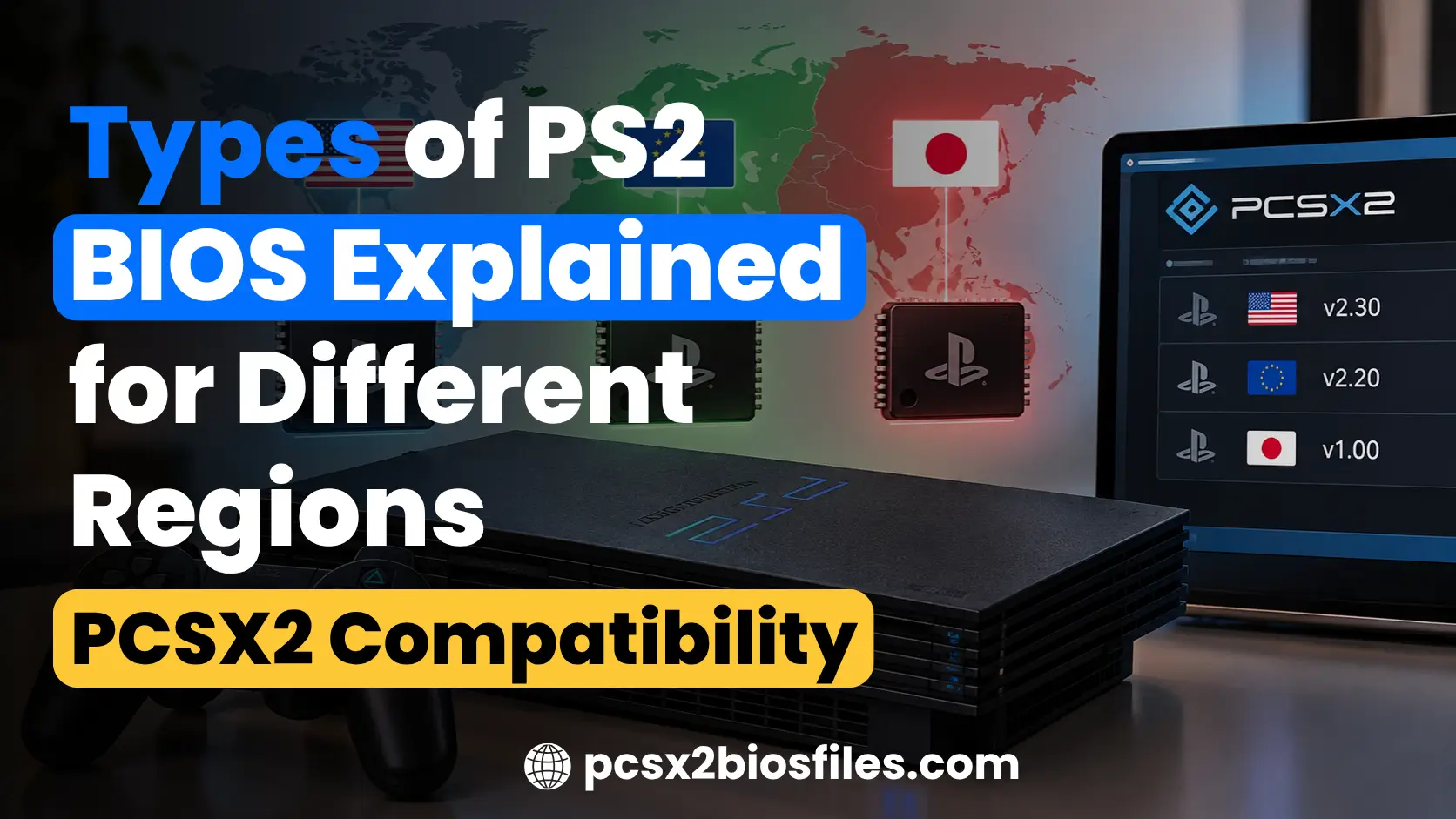
The PlayStation 2 has several BIOS types, with different versions released for consoles sold in the USA, Europe, Japan, China, and other regions. Each BIOS contains system software designed for a particular PS2 model and regional market.
The three main PS2 BIOS types are USA (NTSC-U), Europe (PAL), and Japan (NTSC-J). Other regional versions include Asia and China. BIOS files also differ by firmware version and console model, such as SCPH-10000, SCPH-39001, and SCPH-70012.
If you’re using PCSX2, understanding these differences can help you identify your BIOS, choose an appropriate version, and troubleshoot compatibility problems.
What are the different types of PS2 BIOS?
PS2 BIOS is the system firmware built into Sony’s PlayStation 2 console. It handles the console’s startup process, system configuration, and several functions required to run PlayStation 2 software.
Sony released different BIOS versions throughout the PS2’s lifespan. These versions vary by region, console generation, and firmware revision.
The main ways to classify PS2 BIOS files are:
- Region: USA, Europe, Japan, Asia, China, and other markets.
- BIOS version: Firmware revisions such as 1.60, 1.90, 2.00, and 2.30.
- Console model: Different PS2 hardware series, including SCPH-30000, SCPH-50000, and SCPH-70000.
The region determines the original market for the console. The version identifies the firmware revision, while the SCPH model number identifies the PlayStation 2 hardware. These details are useful when selecting BIOS files for PCSX2 or identifying firmware dumped from an original PS2.
Types of PS2 BIOS by region
Sony sold the PlayStation 2 in several markets with different regional configurations. The BIOS files reflect these regional differences, including system language options, DVD-related settings, and console identification.
1. USA PS2 BIOS (NTSC-U/C)
The USA PS2 BIOS was released for PlayStation 2 consoles sold in the United States and Canada. It belongs to the North American NTSC-U/C region.
This BIOS is commonly associated with American releases of games such as Grand Theft Auto: San Andreas, God of War, and Final Fantasy X.
Common USA PS2 models:
- SCPH-30001
- SCPH-39001
- SCPH-50001
- SCPH-70012
- SCPH-90001
These models belong to different hardware generations, so their BIOS files may contain different firmware revisions.
For PCSX2 users with a North American game collection, a BIOS dumped from a USA console is a suitable choice.
2. Europe PS2 BIOS (PAL)
The European PS2 BIOS was developed for PlayStation 2 consoles sold in Europe and other PAL markets, including Australia.
PAL-region games commonly used a 50 Hz video mode, although some supported 60 Hz output. Their original video settings may differ from North American and Japanese releases.
Common European PS2 models:
- SCPH-30004
- SCPH-39004
- SCPH-50004
- SCPH-70004
- SCPH-75004
European BIOS revisions also include regional language and system configuration options.
PCSX2 supports European BIOS files, and they are a suitable choice for users who want the original PAL-region console experience.
3. Japan PS2 BIOS (NTSC-J)
The Japanese PS2 BIOS was designed for consoles released in Japan, including the earliest PlayStation 2 models.
The original PlayStation 2 launched in Japan in March 2000. Early Japanese consoles used older BIOS revisions, which can differ from the firmware found in later PS2 systems.
Common Japanese PS2 models:
- SCPH-10000
- SCPH-15000
- SCPH-18000
- SCPH-30000
- SCPH-50000
Japanese BIOS versions are useful when reproducing the original startup and system environment of Japanese PS2 consoles.
However, the earliest Japanese models have hardware and firmware differences worth considering. Users interested in early console behavior may prefer these original versions, while general PCSX2 users can use a valid BIOS from a later console.
4. Asia PS2 BIOS
Sony also released PlayStation 2 consoles for Asian markets outside Japan, including Hong Kong. These systems may contain BIOS files identified with the Asia or Hong Kong region. They have their own regional configuration, separate from the standard USA, Europe, and Japan BIOS categories.
PCSX2 recognizes Asian BIOS identifiers, although regional labels can vary depending on the firmware. An Asian BIOS can be useful for users preserving or emulating the original configuration of an Asian-market PlayStation 2.
5. China PS2 BIOS
The PlayStation 2 was also released in mainland China, where Sony used a separate regional configuration.
Chinese PS2 BIOS files are less common than USA, Europe, and Japan versions. They may be identified by their Chinese regional firmware code and console model information.
PCSX2 includes recognition for Chinese BIOS files. Users with an original Chinese-market console can dump its firmware and check whether PCSX2 recognizes the file correctly.
PS2 BIOS region comparison
The following table compares the main PS2 BIOS types, their regional classifications, and example console models.
| BIOS region | Region designation | Example PS2 models | PCSX2 support |
|---|---|---|---|
| USA / Canada | NTSC-U/C | SCPH-39001, SCPH-70012 | Yes |
| Europe | PAL | SCPH-39004, SCPH-70004 | Yes |
| Japan | NTSC-J | SCPH-10000, SCPH-18000 | Yes |
| Asia / Hong Kong | Asian NTSC markets | Region-specific SCPH models | Yes |
| China | China-specific region | Chinese-market SCPH models | Yes |
PCSX2 can recognize BIOS files from these major regions. The emulator’s compatibility with an individual game can still depend on the BIOS revision, game version, and emulator settings.
PS2 BIOS types by console model and version
PS2 BIOS files also differ according to the hardware generation and firmware revision. Sony updated the PlayStation 2 several times, moving from the original Fat PS2 to the smaller Slim PS2. These hardware changes were accompanied by different firmware releases.
Early PS2 BIOS versions (1.00 to 1.60)
Early BIOS revisions were released for the first generations of PlayStation 2 consoles. These include older Japanese systems and early Fat PS2 models sold in other regions.
Examples of BIOS revisions from this period include:
- BIOS 1.00
- BIOS 1.10
- BIOS 1.20
- BIOS 1.50
- BIOS 1.60
Early firmware can be useful for examining the original PS2 startup process and hardware behavior. Some early Japanese console models also had features and hardware arrangements that differed from later releases.
Middle-generation PS2 BIOS versions (1.70 to 1.90)
Sony introduced further BIOS revisions as the PlayStation 2 hardware developed. Versions such as 1.70 and 1.90 appeared during the later Fat PS2 period.
These firmware revisions included changes associated with updated console hardware and system components.
For PCSX2, they provide additional options when testing how games behave with different PS2 firmware generations.
Later PS2 BIOS versions (2.00 to 2.30)
Later firmware revisions are associated with Slim PS2 models and subsequent hardware updates.
Examples include:
- BIOS 2.00
- BIOS 2.20
- BIOS 2.30
The exact firmware version depends on the console model and production revision.
A later BIOS can be a practical choice for general emulation, although the highest version number does not guarantee better compatibility with every game.
Fat PS2 BIOS vs Slim PS2 BIOS
The original Fat PS2 and later Slim PS2 consoles used different hardware revisions, which resulted in different BIOS versions.
| Feature | Fat PS2 BIOS | Slim PS2 BIOS |
|---|---|---|
| Console generation | Earlier PS2 models | Later compact models |
| Example models | SCPH-30000, SCPH-39000, SCPH-50000 | SCPH-70000, SCPH-75000, SCPH-90000 |
| Firmware | Earlier and middle revisions | Generally later revisions |
| PCSX2 compatibility | Supported | Supported |
| Main reason to choose | Original Fat PS2 firmware behavior | Later console firmware behavior |
Both types can work with PCSX2 when the BIOS dump is valid.
The main difference is the firmware and hardware generation represented by each file.
NTSC-U vs NTSC-J vs PAL PS2 BIOS: What’s the difference?
NTSC-U, NTSC-J, and PAL are commonly used labels when discussing PS2 BIOS regions. They identify different regional markets and their associated television standards.
NTSC-U/C
NTSC-U/C refers to North America, primarily the USA and Canada. Many North American PS2 games were designed around 60 Hz output. A USA BIOS contains regional settings associated with North American PlayStation 2 consoles.
NTSC-J
NTSC-J refers to Japan. Japanese PlayStation 2 consoles generally used NTSC video output, but their regional configuration differed from North American systems. Japanese and USA BIOS files therefore belong to separate regional categories.
PAL
PAL was commonly used in Europe and Australia. Most PAL PS2 games ran at 50 Hz, although some supported 60 Hz. Selecting a PAL BIOS in PCSX2 does not automatically change a game’s refresh rate or improve performance.
Does the BIOS region affect gameplay speed?
The BIOS region can affect system startup behavior and some regional functions. Gameplay speed is primarily determined by the game software, emulation accuracy, and your computer’s performance.
For example, a PAL game may have different timing or video modes from its NTSC counterpart. Changing the BIOS alone will not turn a PAL game into the North American release.
Which PS2 BIOS is best for PCSX2?
For most PCSX2 users, a valid BIOS dumped from their own PlayStation 2 console is the recommended choice. If you’re setting up the emulator for the first time, check our guide on how to get PS2 BIOS.
PCSX2 supports BIOS files from several regions. You generally do not need a separate BIOS for every game in your collection.
The best choice depends on your requirements.
| Your requirement | Suitable BIOS choice |
|---|---|
| General PS2 emulation | Valid BIOS from your own PS2 |
| North American console startup | USA BIOS |
| Original European console environment | Europe BIOS |
| Japanese console startup and settings | Japan BIOS |
| Testing early PS2 firmware | Early BIOS revision |
| Testing later Slim PS2 firmware | Later BIOS revision |
| Comparing regional startup behavior | BIOS files from the relevant regions |
PCSX2 can run games from different regions using a valid BIOS, although matching the game and BIOS regions may be useful for reproducing original console behavior.
A different BIOS revision may sometimes help with a specific compatibility issue. However, game compatibility also depends heavily on the version of PCSX2 and the condition of the game dump.
How to identify your PS2 BIOS region and version
You can identify a BIOS through its console model information, firmware version, or the details displayed by PCSX2.
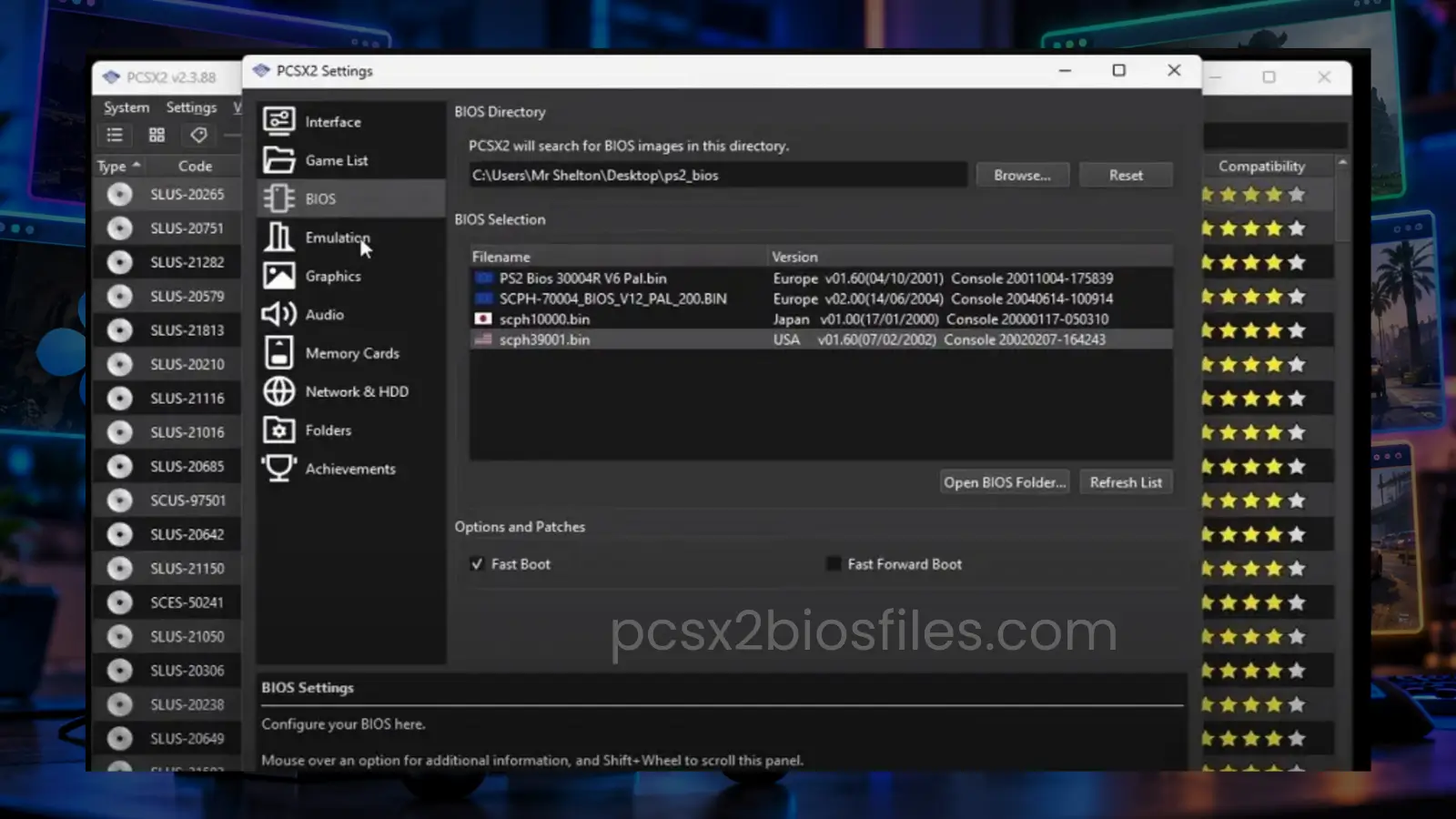
Check the SCPH model number
Sony used SCPH model numbers to identify PlayStation 2 console variants.
Examples include:
- SCPH-39001: North American Fat PS2 model.
- SCPH-39004: European Fat PS2 model.
- SCPH-70012: North American Slim PS2 model.
- SCPH-70004: European Slim PS2 model.
- SCPH-10000: Early Japanese PS2 model.
The model number can help determine the console’s original market and hardware generation.
However, the model series alone cannot identify every BIOS region. Different regional versions of the same hardware generation were sold under different SCPH model numbers.
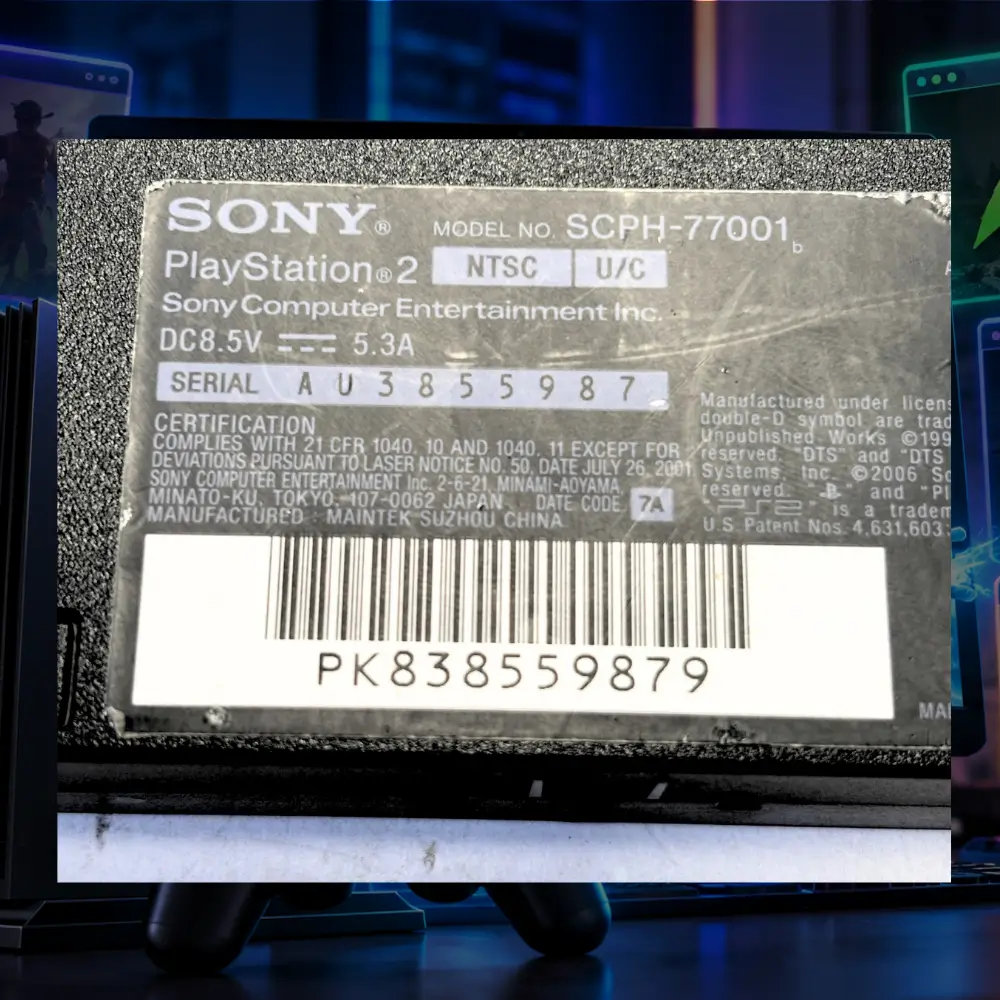
Check the BIOS information in PCSX2
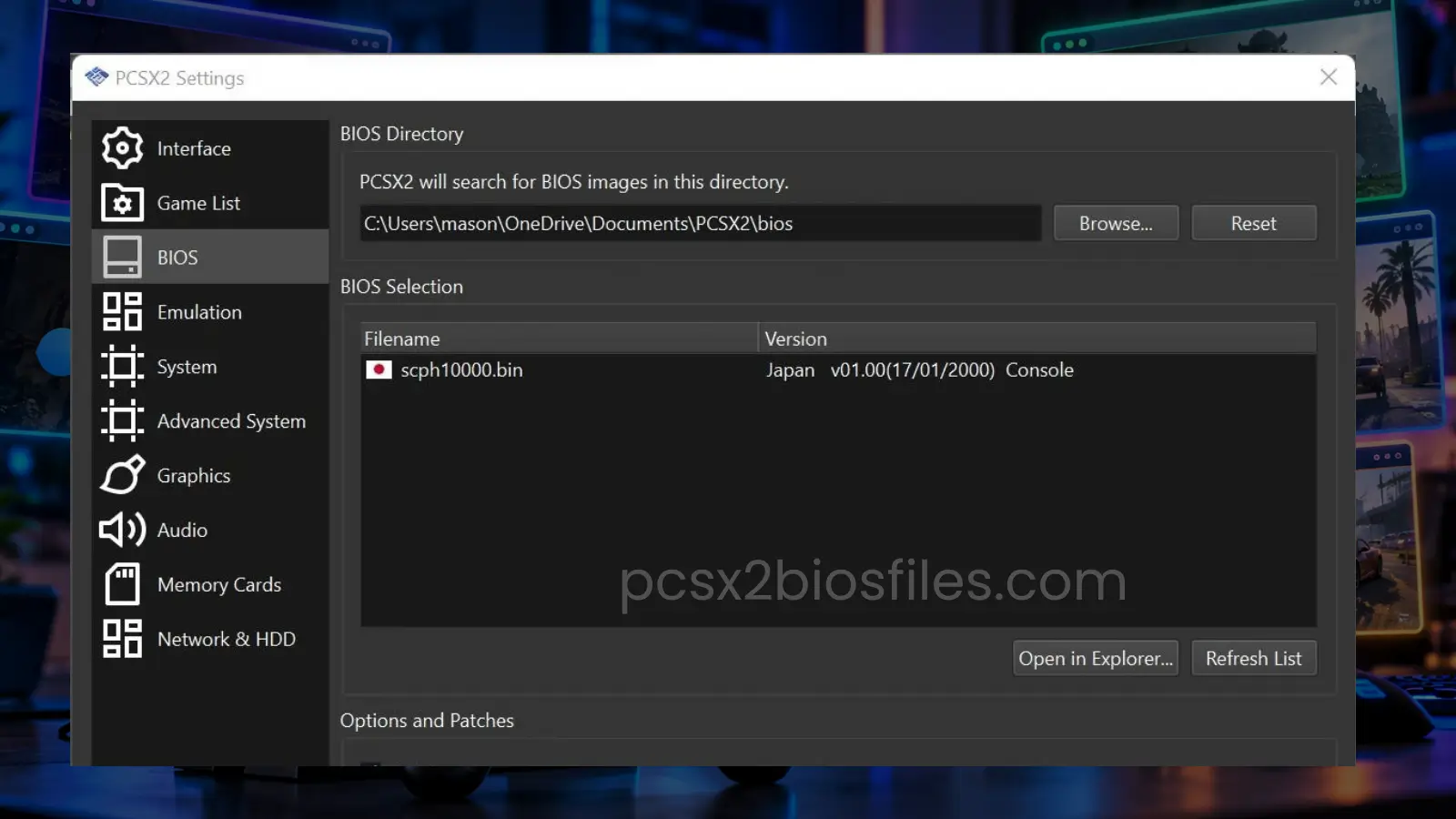
PCSX2 can identify the region and version of supported BIOS images.
To check your BIOS:
- Open PCSX2.
- Go to Settings > BIOS.
- Check the list of detected BIOS files.
- Review the region and version information.
- Select the BIOS you want to use.
The BIOS list can help confirm whether PCSX2 recognizes the file correctly.
Check the BIOS firmware version
The BIOS version provides more specific information than the SCPH model alone.
For example, two PS2 consoles sold in the same region may contain different firmware revisions.
PCSX2 reads BIOS version and region information from the firmware itself. This is more reliable than depending entirely on a filename, which can be changed manually.
Different PS2 BIOS file types explained
When dumping firmware from a PlayStation 2, you may encounter several files with different extensions.
These files have separate functions within the console’s system software and configuration.
| File type | Purpose | Required for PCSX2? |
|---|---|---|
| Main BIOS / ROM0 | Contains the main PS2 firmware | Yes |
| ROM1 | Contains additional ROM data | Generally optional |
| ROM2 | Contains supplementary ROM data | Generally optional |
| EROM | Contains additional firmware components | Generally optional |
| NVM | Stores console-specific configuration data | PCSX2 can create configuration data |
| MEC | Contains emulated Mechacon-related data | Generally generated or managed by PCSX2 |
The main BIOS image is essential for running PCSX2.
The emulator can operate without some supplementary ROM files, although keeping a complete and accurate dump is useful for preserving the original console’s firmware data.
File extensions and naming conventions also depend on the dumping utility.
Common PS2 BIOS compatibility problems
PCSX2 does not detect the BIOS
If PCSX2 cannot find your BIOS, check the folder location and file format.
The most common causes include:
- The BIOS file is stored in the wrong directory.
- The file is still inside a compressed archive.
- The BIOS dump is incomplete or corrupted.
- PCSX2 is scanning a different BIOS folder.
Open the BIOS settings, confirm the directory, and refresh the list.
BIOS appears in the folder but is invalid
A file can have a .bin or .rom0 extension without containing a valid PS2 BIOS.
PCSX2 checks the internal firmware structure to identify supported BIOS images.
If the file is rejected, dump the BIOS again from your original console.
You can also compare the file’s SHA-1 checksum against a known preservation database to check its integrity.
A game does not boot with the selected BIOS
A game that fails to boot may have a damaged disc image, incompatible settings, or an emulator-specific issue.
Try these checks:
- Update PCSX2 to a current release.
- Confirm that your BIOS is detected correctly.
- Verify the game dump.
- Test the game using default emulator settings.
- Try another legitimately dumped BIOS revision if the problem continues.
Changing the BIOS may help in some cases, but it cannot fix every game compatibility problem.
BIOS region does not match the game
PCSX2 supports cross-region game emulation, so a regional mismatch does not automatically prevent a game from running.
However, startup sequences and some system behavior may differ when the BIOS region and game region are different.
For an experience closer to the original console, select a BIOS from the game’s release region when available.
Frequently asked questions
How many types of PS2 BIOS are there?
There are 3 main regional categories commonly discussed: USA (NTSC-U/C), Europe (PAL), and Japan (NTSC-J). Sony also released separate BIOS versions for other markets, including Asia and China. Each region has multiple firmware revisions associated with different console models.
Can I use a USA BIOS to play Japanese PS2 games on PCSX2?
Yes. PCSX2 supports cross-region emulation, so many Japanese PS2 games can run using a valid USA BIOS. Some startup or region-specific behavior may differ from an original Japanese console.
Is PS2 BIOS 2.30 better than 2.00?
BIOS 2.30 is a later firmware revision than 2.00. It does not automatically deliver higher frame rates or better compatibility. Both are supported by PCSX2 when the BIOS images are valid.
Do I need separate PS2 BIOS files for PAL and NTSC games?
Usually, no. PCSX2 can run games from different regions with a single valid BIOS. Multiple BIOS files are useful when you want to reproduce regional console behavior or test firmware differences.
Can PCSX2 run without a PS2 BIOS?
No. PCSX2 requires a BIOS dumped from an original PlayStation 2 console. The BIOS is copyrighted Sony software and is not included with the emulator.
Are PS1 and PS2 BIOS files the same?
No. PlayStation 1 and PlayStation 2 use different system firmware. A PS1 BIOS file cannot replace the PS2 BIOS required by PCSX2.
Conclusion
PS2 BIOS files differ by region, firmware revision, and console model. USA, Europe, and Japan are the most common regional versions, while Asian and Chinese consoles have additional regional variants.
PCSX2 supports BIOS files from multiple regions, and a single valid BIOS is generally sufficient for playing PS2 games. Knowing the region and version of your firmware is useful when selecting a BIOS, reproducing original console behavior, or investigating compatibility problems.




3 Comments