What Is a PS2 BIOS? How It Works and Why PCSX2 Needs It
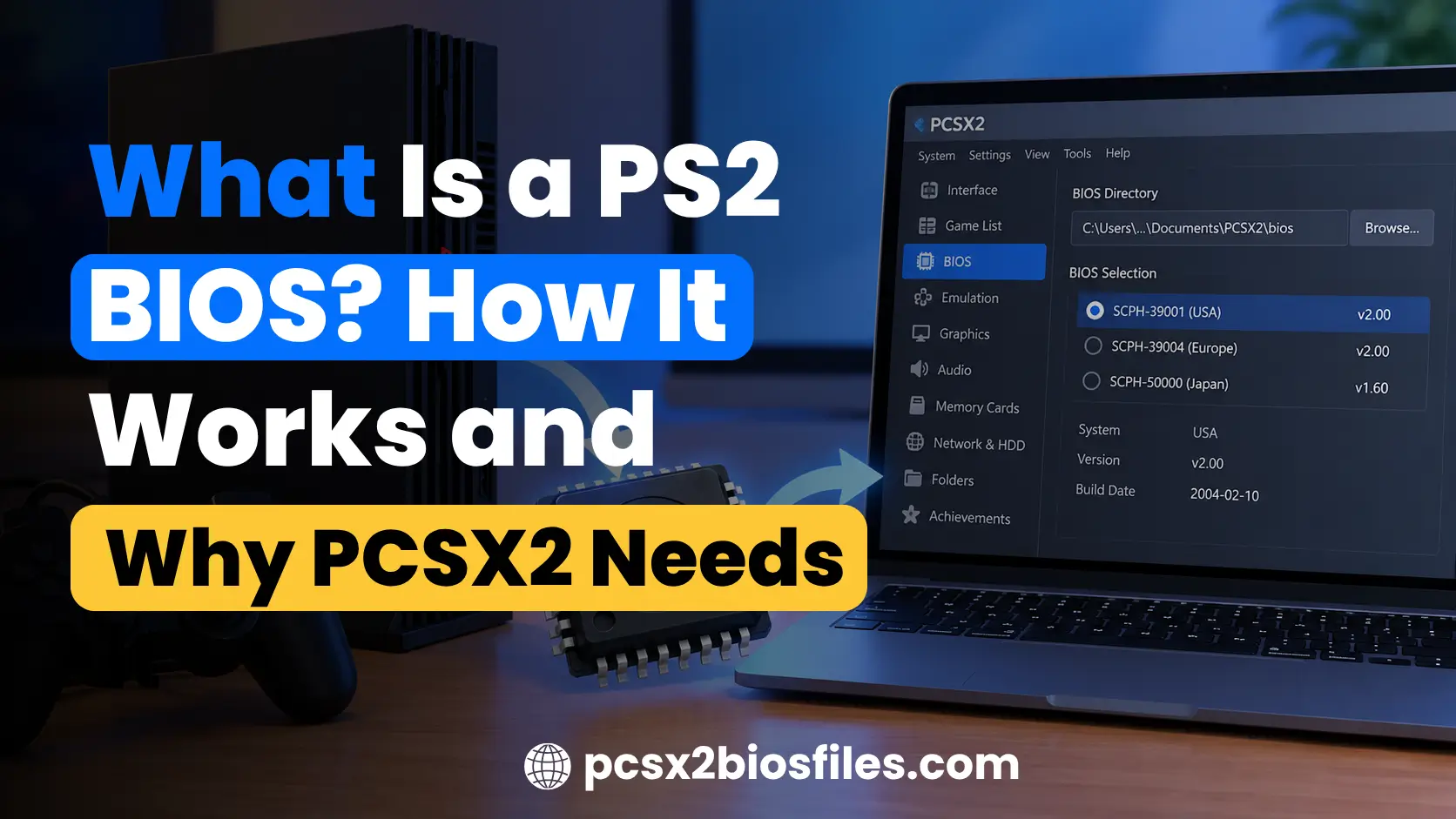
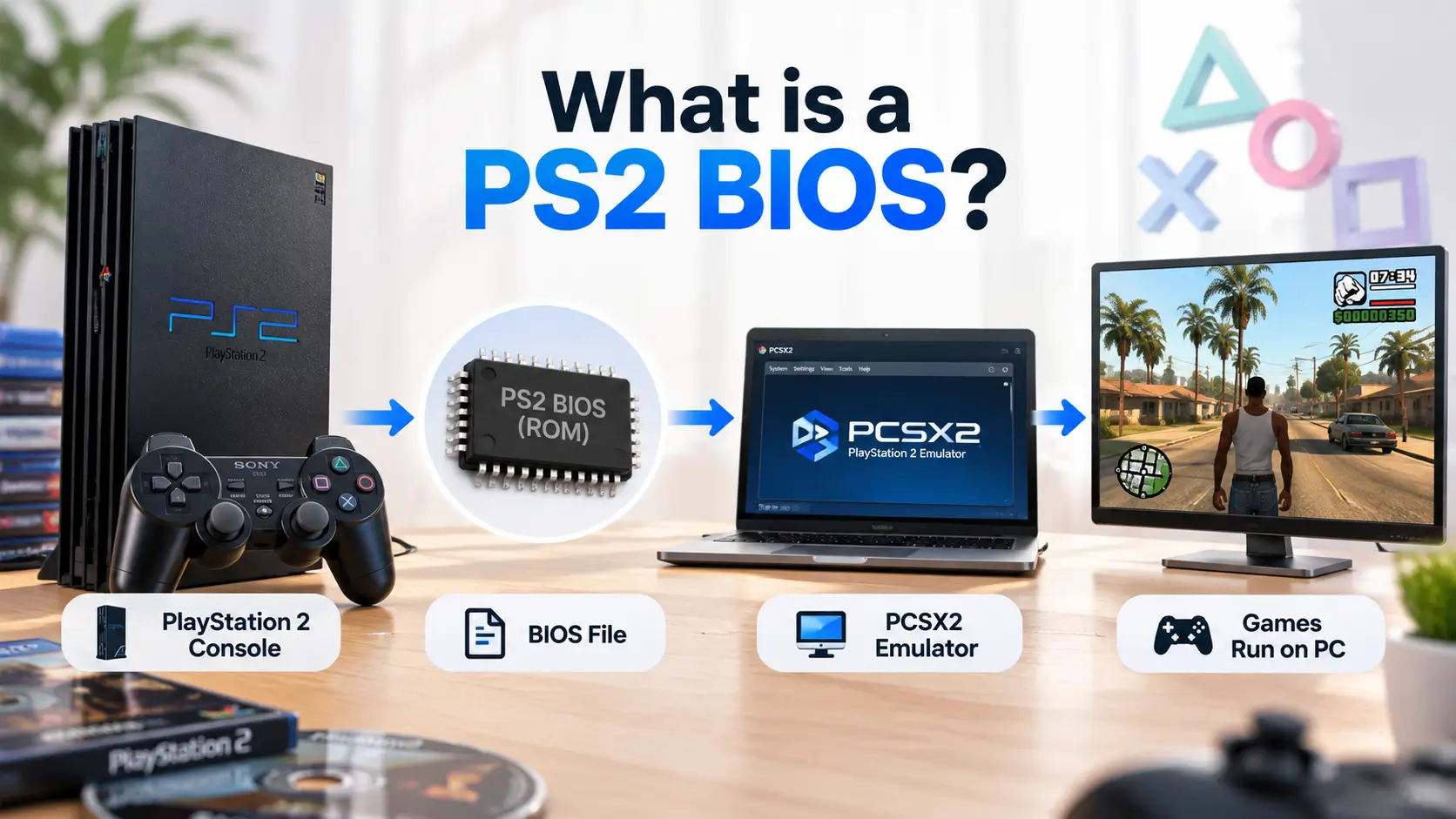
A PS2 BIOS is the system firmware built into Sony’s PlayStation 2 console. It controls the startup process, initializes important system components, manages console settings, and provides functions that PlayStation 2 games use.
PCSX2 requires a copy of this firmware to emulate the PS2 system correctly. Although PCSX2 recreates the console’s hardware through software, it relies on an original PS2 BIOS to provide the system functions needed to run games.
Understanding what the BIOS does can help you set up PCSX2, identify BIOS files, and resolve common startup problems.
What is a PS2 BIOS?
PS2 BIOS stands for PlayStation 2 Basic Input/Output System. It is firmware developed by Sony and stored in the console’s internal read-only memory (ROM).
Every original PlayStation 2 has BIOS firmware installed at the factory. When you turn on the console, the system uses this firmware to begin its startup process and prepare the hardware for running software.
The BIOS also contains the PlayStation 2 system interface, including the Browser and System Configuration menus.
Some of its main responsibilities include:
- System startup: Begins the console’s boot process and prepares hardware components.
- Hardware initialization: Sets up essential parts of the PlayStation 2 system.
- Disc loading: Supports the process of identifying and starting compatible PlayStation discs.
- System configuration: Provides access to settings such as language, time, and display options.
- Memory card management: Supports the PS2 Browser functions used to view and manage saved data.
- System services: Provides low-level software functions used by games and the console.
The BIOS remains part of the PlayStation 2 system throughout its operation, even after a game has started.
How does a PS2 BIOS work?
The PS2 BIOS begins working when the console is powered on. It contains instructions that help initialize the system and begin loading software.
The startup process involves several stages.
1. The PlayStation 2 starts its hardware
When the console receives power, its main processor begins executing startup instructions stored in the system firmware.
The BIOS participates in preparing essential hardware and system services before the console can load a game.
2. The BIOS starts the system software
After the initial startup, the firmware starts the PlayStation 2’s system software.
On a normal console boot, you may see the Sony Computer Entertainment startup screen followed by the PlayStation 2 system animation or menu.
These screens are part of the console’s startup environment.
3. The console identifies the game disc
When a compatible disc is inserted, the system checks the disc and follows the appropriate loading process.
The BIOS and related system components help the console identify supported software and begin executing it.
If there is no playable disc, the console can display its Browser or System Configuration menu.
4. The game starts running
Once the loading process finishes, the PlayStation 2 begins executing the game’s instructions.
The game uses the console’s processor, graphics hardware, memory, and other components. It can also call system services provided by the firmware.
The BIOS therefore has responsibilities during both startup and normal software operation.
Why does PCSX2 need a PS2 BIOS?
PCSX2 needs a PS2 BIOS because it uses the console’s original firmware to reproduce important parts of the PlayStation 2 software environment.
PCSX2 is a free, open-source emulator that recreates PS2 hardware behavior on Windows, Linux, and macOS. It emulates components such as the Emotion Engine CPU, Graphics Synthesizer, and other parts of the console.
However, PS2 games also depend on the console’s system firmware.
The BIOS provides software routines and system behavior that PCSX2 needs to support. Without these components, the emulator cannot correctly complete the environment required to run PlayStation 2 games.
According to the official PCSX2 documentation, the emulator requires BIOS files dumped from an original PlayStation 2. PCSX2 does not currently provide an open-source BIOS replacement.
What happens if PCSX2 has no BIOS?
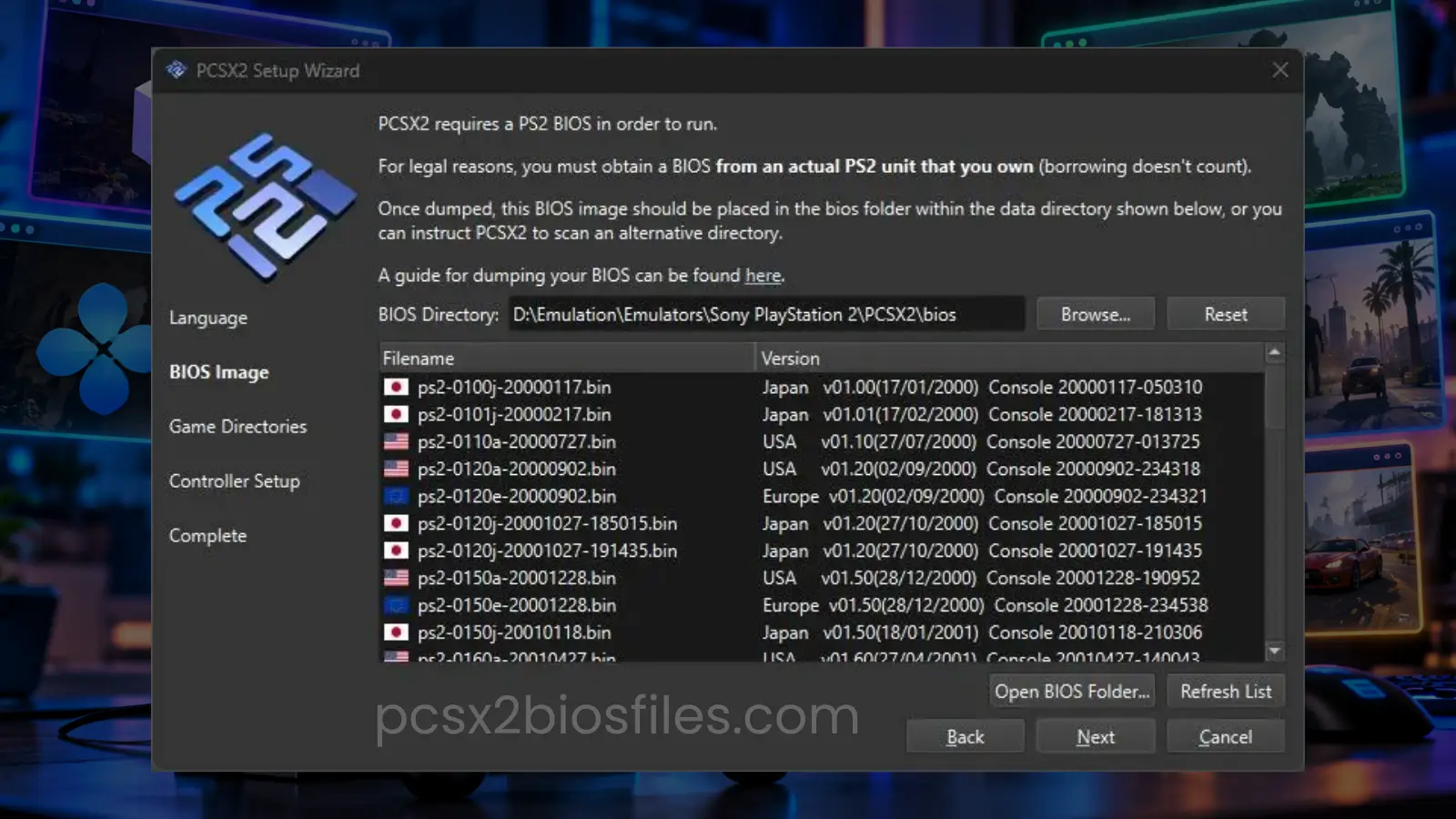
If you install PCSX2 without adding a valid BIOS, the emulator cannot start PS2 games. During the initial configuration, PCSX2 asks you to select a BIOS. If the emulator cannot detect one, you must supply a valid BIOS dump before completing the setup for game emulation.
Common reasons for BIOS detection problems include incorrect folder locations, unsupported files, and incomplete firmware dumps. Installing PCSX2 alone is therefore insufficient for playing PlayStation 2 games.
Does PCSX2 still use the BIOS with Fast Boot?
Yes. PCSX2 still requires the BIOS when Fast Boot is enabled. Fast Boot skips the normal PlayStation 2 startup animation and starts the selected game more directly.
It can reduce the time spent waiting for the familiar PS2 startup screens. However, the emulator still depends on the firmware and its system functions. Fast Boot changes how the game starts. It does not remove the BIOS requirement.
What is the difference between PS2 BIOS, ISO, and PCSX2?
PS2 BIOS, game ISO files, and PCSX2 have different purposes. Understanding these differences is useful when preparing your emulator.
| Component | What it does | Example |
|---|---|---|
| PS2 BIOS | Provides original PlayStation 2 system firmware | BIOS dumped from an SCPH-39001 console |
| PCSX2 | Emulates PlayStation 2 hardware on a computer | PCSX2 emulator |
| Game ISO | Contains data copied from a game disc | A personal backup of a PS2 game |
| Memory card file | Stores game progress and saved data | PCSX2 virtual memory card |
A PS2 BIOS file does not contain a collection of games. Similarly, a game ISO does not contain the complete console firmware required by PCSX2.
To run a PS2 game through PCSX2, you generally need the emulator, a valid BIOS dump, and a compatible game disc or disc image.
What are the different types of PS2 BIOS?
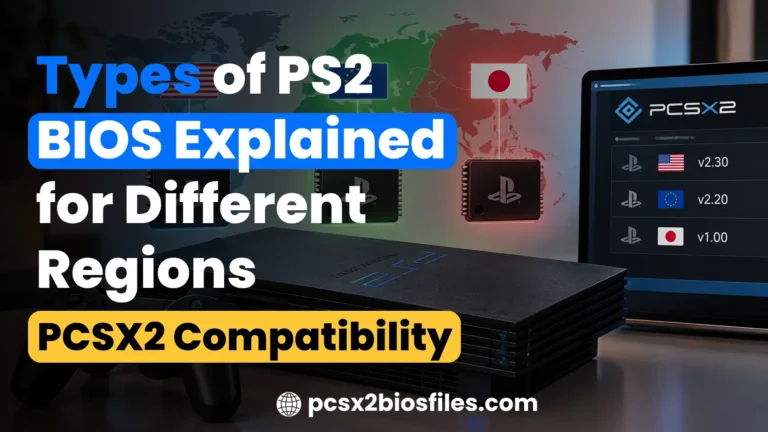
Sony released several PlayStation 2 BIOS versions throughout the console’s lifespan. These versions differ by region, firmware revision, and hardware model. The main regional categories are:
USA PS2 BIOS (NTSC-U/C)
The USA BIOS was developed for PlayStation 2 consoles sold in North America, including the United States and Canada.
Examples of North American console models include SCPH-39001, SCPH-50001, and SCPH-70012.
Europe PS2 BIOS (PAL)
European BIOS files came from consoles sold in Europe and other PAL territories, including Australia.
Common European console models include SCPH-39004, SCPH-50004, and SCPH-70004.
Japan PS2 BIOS (NTSC-J)
Japanese BIOS files originated from PlayStation 2 consoles sold in Japan.
These include early models such as SCPH-10000 and SCPH-18000, along with later Japanese PS2 systems.
Sony also released separate regional firmware for some other Asian markets and China. PCSX2 supports BIOS images from multiple regions. For general game emulation, a single valid BIOS is usually sufficient, even if your games come from different regions.
The BIOS region alone does not determine gameplay speed. Game version, emulation settings, and computer hardware also affect performance. For more information about regional firmware and console revisions, read our guide to PS2 BIOS types
What files are included in a PS2 BIOS dump?
A PS2 BIOS dump may contain several files rather than a single BIOS image.
The exact filenames depend on the PlayStation 2 model and the utility used to extract the firmware.
Common file types include:
| File type | Purpose |
|---|---|
| ROM0 | Contains the main PlayStation 2 BIOS firmware |
| ROM1 | Contains supplementary ROM data |
| ROM2 | Contains additional firmware data on supported models |
| EROM | Contains firmware components associated with certain console functions |
| NVM | Contains console-specific configuration data |
Some older BIOS dumps use a .bin extension, while newer dumping utilities may produce files ending in .rom0, .rom1, or .nvm.
For example, the official PCSX2 dumping guide describes BIOS files named using the console’s model identifier and their corresponding extensions. The main BIOS image is essential for PCSX2. Additional files can preserve other parts of the console’s firmware and configuration.
When transferring a BIOS dump, keep the original files together. Avoid changing their contents or extensions.
How do you get a PS2 BIOS for PCSX2?
You can find PS2 BIOS files for different regions on our PS2 BIOS Download page. The website provides BIOS options for USA (NTSC-U), Europe (PAL), Japan (NTSC-J), and other regions, along with instructions for using them with PCSX2.

To find the BIOS files:
- Visit our ps2biosfiles.com.
- Find the PS2 BIOS Download (All Regions) section.
- Choose the BIOS region you need for your emulator.
- Review the available download options and select the appropriate file.
- Once you have a BIOS file you’re authorized to use, extract it if necessary and add it to the PCSX2 BIOS folder.
PS2 BIOS files contain copyrighted Sony firmware. Before downloading or using a BIOS, make sure you have the legal right to do so. PCSX2 officially recommends dumping the BIOS from a PlayStation 2 console you own.
For detailed instructions, including the tools required and BIOS installation steps, see our guide on how to get PS2 BIOS for PCSX2
How to add a PS2 BIOS to PCSX2
After obtaining a valid BIOS dump from your console, you can configure it in PCSX2.
The setup is similar across supported operating systems, although folder locations can differ.
- Download and install PCSX2 from ps2biosfiles.com.
- Open PCSX2 and begin the first-time configuration.
- Continue to the BIOS Selection screen.
- Click Open BIOS Folder to locate the configured BIOS directory.
- Copy your dumped BIOS files into that folder.
- Return to PCSX2 and click Refresh List.
- Select the detected BIOS and finish the configuration.
If PCSX2 is already configured, open Settings > BIOS to review the selected firmware or change the BIOS folder.
Once the BIOS is recognized, you can add your PS2 game images and configure the remaining emulator settings.
Common PS2 BIOS problems in PCSX2
Most BIOS-related problems occur when PCSX2 cannot find, recognize, or correctly load the firmware.
PCSX2 cannot detect the BIOS
If the BIOS list is empty, check that the files are stored in the directory PCSX2 is using. Open the BIOS folder from within PCSX2 and confirm that the files are present. If your BIOS dump is inside a ZIP or another compressed archive, extract the files first. Then refresh the BIOS list.
PCSX2 says the BIOS is invalid
An invalid BIOS message may indicate an incomplete, corrupted, or unsupported firmware image. A filename ending in .bin or .rom0 does not guarantee that the file contains a valid PS2 BIOS. If PCSX2 rejects your BIOS, create a fresh dump from your console using the official procedure.
The BIOS works, but the game does not start
If PCSX2 recognizes the BIOS but a game fails to launch, check the game image and emulator configuration.
Try the following:
- Update PCSX2 to a current release.
- Confirm that the BIOS is selected correctly.
- Check the integrity of your game disc image.
- Restore the emulator’s default settings if you have changed them.
- Check whether the game has a known compatibility issue.
A working BIOS does not guarantee that every PS2 game will run correctly. Some games have emulator-specific compatibility problems.
Games run slowly after installing the BIOS
Slow gameplay is usually related to computer performance, the game’s emulation requirements, or PCSX2 settings. Changing from a USA BIOS to a European or Japanese BIOS does not automatically improve frame rates.
Check your CPU, graphics settings, internal resolution, and the game’s compatibility status before considering another BIOS revision.
Frequently asked questions
Is PS2 BIOS the same as PS2 firmware?
Yes. PS2 BIOS refers to the system firmware stored inside the PlayStation 2. The term BIOS usually describes the main firmware image, while a complete firmware dump may include several additional files.
Can PCSX2 run games without a BIOS?
No. PCSX2 requires a valid PlayStation 2 BIOS dump. Its developers state that the emulator currently has no open-source BIOS replacement.
Do I need a different BIOS for every PS2 game?
No. PCSX2 can run games from different regions using a single supported BIOS. Some region-specific system behavior may differ from the original console.
Is a PS1 BIOS compatible with PCSX2?
A PS1 BIOS cannot replace the PS2 BIOS required for PCSX2’s PlayStation 2 emulation. The two consoles use different system firmware.
Does the PS2 BIOS contain saved games?
No. PlayStation 2 game saves are normally stored on memory cards. PCSX2 uses virtual memory card files to store saved progress.
Can I use a BIOS from a PS2 Slim in PCSX2?
Yes. PCSX2 supports valid BIOS dumps from compatible PlayStation 2 Slim and Fat consoles. The exact BIOS revision depends on the console model.
Conclusion
The PS2 BIOS contains the firmware that controls the PlayStation 2’s startup process and provides system functions required by its software.
PCSX2 uses this firmware alongside its hardware emulation to run PlayStation 2 games on a computer. A valid BIOS dump from your own console is required before you can complete the emulator setup and begin playing.
Understanding the BIOS, its file types, and its role in PCSX2 also makes it easier to identify setup errors and distinguish firmware problems from game compatibility issues.